

Cookies
The Cookies page (app.monita.ai/compliance/cookies) answers what cookies ride along with your site? from two independent angles: what monitored live traffic actually carries, and what a real browser is left holding after loading your pages.
Observed in live traffic
Section titled “Observed in live traffic”The first table lists tracking cookies seen in your monitored sessions over the last seven days — presence only. Monita records that a cookie with a given name exists; cookie values never leave the browser.
| Column | Meaning |
|---|---|
| Cookie | The cookie name (e.g. _ga, _fbp) |
| Belongs to | The vendor Monita attributes it to — unknown when it matches no known vendor |
| Seen on | The hostnames it appeared on |
| Sessions | How many sampled sessions carried it |
Because this comes from real users, it captures what a scheduled crawl can’t: cookies that only appear for consented users, logged-in journeys or specific geographies.
Set during the audit
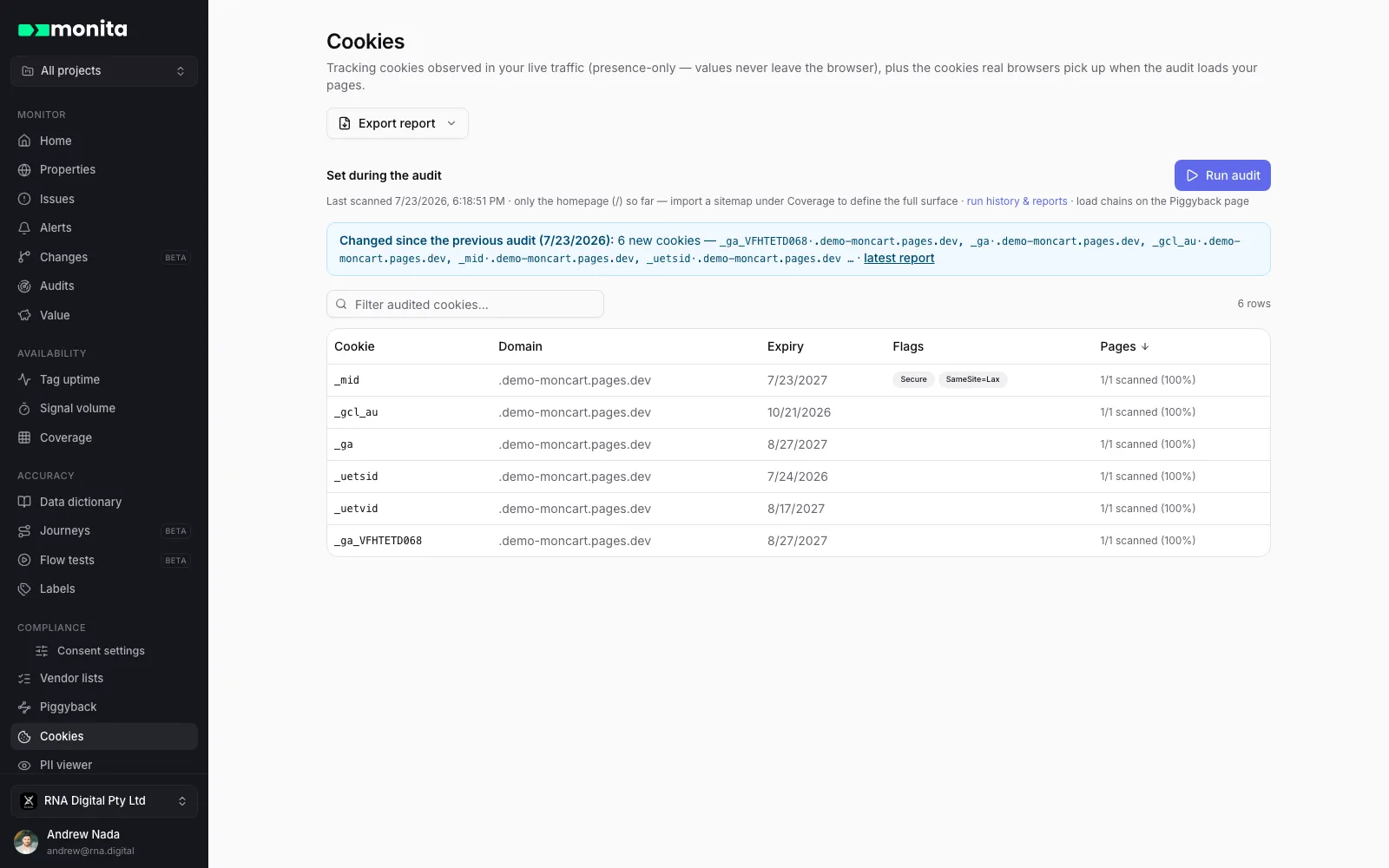
Section titled “Set during the audit”The second table comes from browser audits: real browsers load your pages and record every cookie left behind, with the full attributes only a browser can see:
| Column | Meaning |
|---|---|
| Cookie / Domain | One row per cookie name and domain, folded across every scanned page |
| Expiry | The expiry date, or session for session cookies |
| Flags | Secure, HttpOnly and SameSite attributes |
| Pages | How much of the scanned surface sets it — e.g. 41/50 scanned (82%) |
Run audits from this page’s toolbar, or from Piggyback — the same audit run feeds both: load chains land on Piggyback, cookies land here.
Why both views?
Section titled “Why both views?”The two sources legitimately disagree, and the gap is informative:
- A cookie in live traffic but not the audit is set somewhere the audit doesn’t reach — behind a login, mid-funnel, or only for certain consent states.
- A cookie in the audit but not live traffic is being set on your pages but never observed accompanying monitored vendor requests.
Together they make a defensible cookie inventory for your policy page and consent banner categorization — and Export report on the page packages the evidence.