

Journeys and flow tests
Two beta features look at tags the way your customers experience them: Journeys shows the paths real sessions take through your site, and Flow tests actively drive a browser through those paths on demand.
Journeys Beta
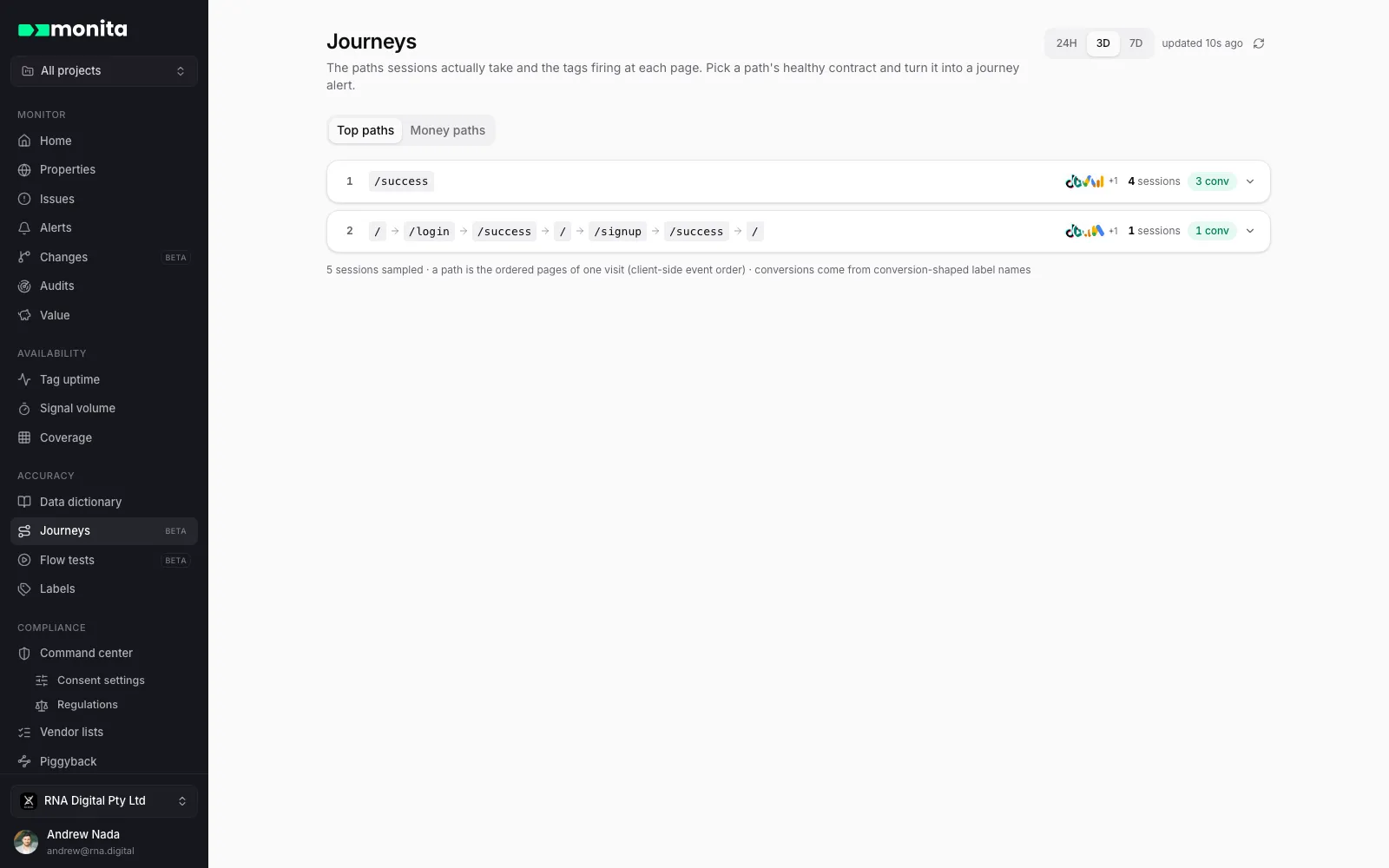
Section titled “Journeys ”Journeys lists the paths sessions actually take — the ordered pages of each visit — ranked by traffic, with the tags that fired at every page. Expand a path to see each step’s tags, grouped by label bucket first so “Purchase” covers every vendor’s spelling at once.
- Top paths ranks by sessions.
- Money paths isolates the routes that convert, with conversion counts and — where revenue is visible to you — the dollars seen on them. Conversions come from the labels you mark as conversions under Labels; until you do, Monita infers them from label and event names and says so.
From path to alert
Section titled “From path to alert”The most useful thing to do with a healthy path is pin it down. Expand a path, tick what a healthy session must fire at each step — label buckets or individual vendor events — and click Create journey alert. The alert builder opens pre-filled with the journey: each selected page becomes an anchor, each ticked tag an expectation. Sessions that never reach a page count as drop-off, not failure — only sessions that reach a step are held to its contract. From then on, a release that breaks tagging on your checkout path files an issue.
Flow tests Beta
Section titled “Flow tests ”Flow tests are agentic journey testing: describe what to do in plain language, and an AI agent drives a real browser through it while Monita records every step and every tag that fires.
“Run through checkout with @email and @password and tell me what fired.”
Type @ in the prompt to reference saved variables — including write-only secrets like passwords, which resolve server-side at run time and never appear in prompts, steps or reports.
Record once, replay deterministically
Section titled “Record once, replay deterministically”The first run is a recording: the agent works out the journey live, and you watch it happen. The recorded steps become the flow’s active version, and every subsequent run replays those exact steps deterministically — same clicks, same fields — so results are comparable run to run. If the page changes underneath a step (a moved button, a renamed field), the flow self-heals: the agent repairs the step and the report notes it.
Each finished run produces a report: steps passed, tags and vendors that fired at each step, findings, and screenshots — with public share links you can hand to anyone, revocable at any time. Every report also carries the original prompt, so it’s self-describing.
Schedules turn a flow into a monitor
Section titled “Schedules turn a flow into a monitor”Give a flow a schedule — hourly up to weekly, or an exact daily/weekly time in your organisation’s timezone — and it replays automatically. A scheduled run that fails files an issue, which routes through your alert destinations like any other. That’s continuous journey assurance: not “did the tag fire somewhere today”, but “did checkout, as a user walks it, fire everything it must”.
Advanced runs can pin locations (US, EU, Asia-Pacific — replays run once per selected location) and use residential proxies, for geo-gated experiences and consent variants.