

Data dictionary
The Data dictionary documents what each vendor actually receives — every payload key observed in your traffic, per vendor, with how often it’s present and what its values look like. It’s the reference for “what are we sending Meta?”, the source of truth behind the alert builder’s field autocomplete, and the starting point for PII investigations.
Cards view — reading the meaning, not the noise
Section titled “Cards view — reading the meaning, not the noise”For each vendor, every key is shown with:
- Presence — the share of that vendor’s events carrying the key.
- Cardinality — how varied its values are, from constant (always the same) to unique (different every time).
- Example values sampled from real events.
Two razors make hundreds of keys navigable:
- Classification. Each key is classed as Customer data (you chose to send it), Critical (a vendor parameter with business meaning), or Protocol (vendor plumbing). Reclassify any key from its chip; unclassified keys are flagged for review.
- Cardinality bands. Constants and always-unique IDs sit at the extremes and are usually noise — the interesting middle is where the meaning lives. The band filter defaults there.
The key landscape plots every key on those two axes (cardinality × presence); click any dot to jump to its row.
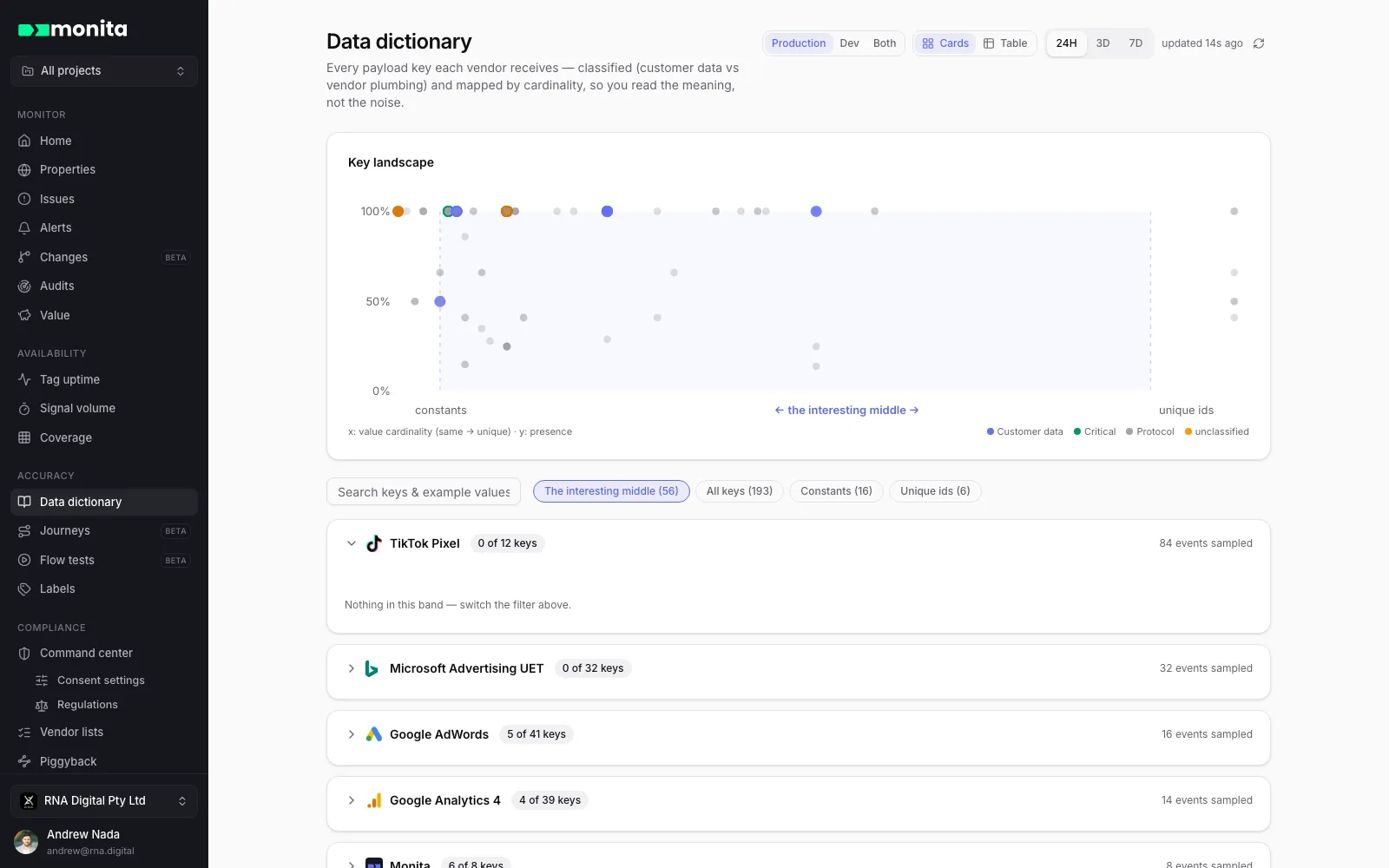
Table view — the values drill-down
Section titled “Table view — the values drill-down”Switch to Table for one flat, sortable, filterable table: property → vendor → event → key → value → count, with last-seen recency. This is the view for value-level questions — what values does currency take, which event sends order_id empty, when did a key last appear. Event labels and key labels are first-class columns, assignable inline, and both views share the same filter set.
You can also group related keys under your own key labels (for example, tag every consent-related key across vendors) and filter by them. Manage them under Data keys on the Labels page.
Environments
Section titled “Environments”The dictionary defaults to production traffic. Toggle to Dev to inspect what staging installs send, or Both — with a warning, since mixed environments blur conclusions about live data. See dev and prod environments.