

Labels
Vendor events often have names nobody recognises: ev_7929014_web, a Google Ads conversion label, a Floodlight activity code. A label is your team’s name for what an event records. Several events can share one label, so “New Auth” can cover the Floodlight tag, the Google Ads conversion and the Meta event that all fire when someone signs up.
Once events have labels you can use them everywhere:
- Alerts: a condition like “label is New Auth” covers every event in the label, whichever vendor sends it. See Alerts.
- Journeys: steps can expect a label instead of one vendor’s event. See Journeys.
- Volume: the volume view groups signals by label.
- Signals: filter the Signals page by label.
Each event has exactly one label. That keeps a condition like “label is New Auth” meaning the same set of events everywhere.
The Labels page
Section titled “The Labels page”The Labels page has a list on the left:
- Needs review: Monita’s suggestions waiting for you (see below).
- All events and Unlabeled.
- Your labels: every label someone confirmed, with its event count. Search it when the list gets long.
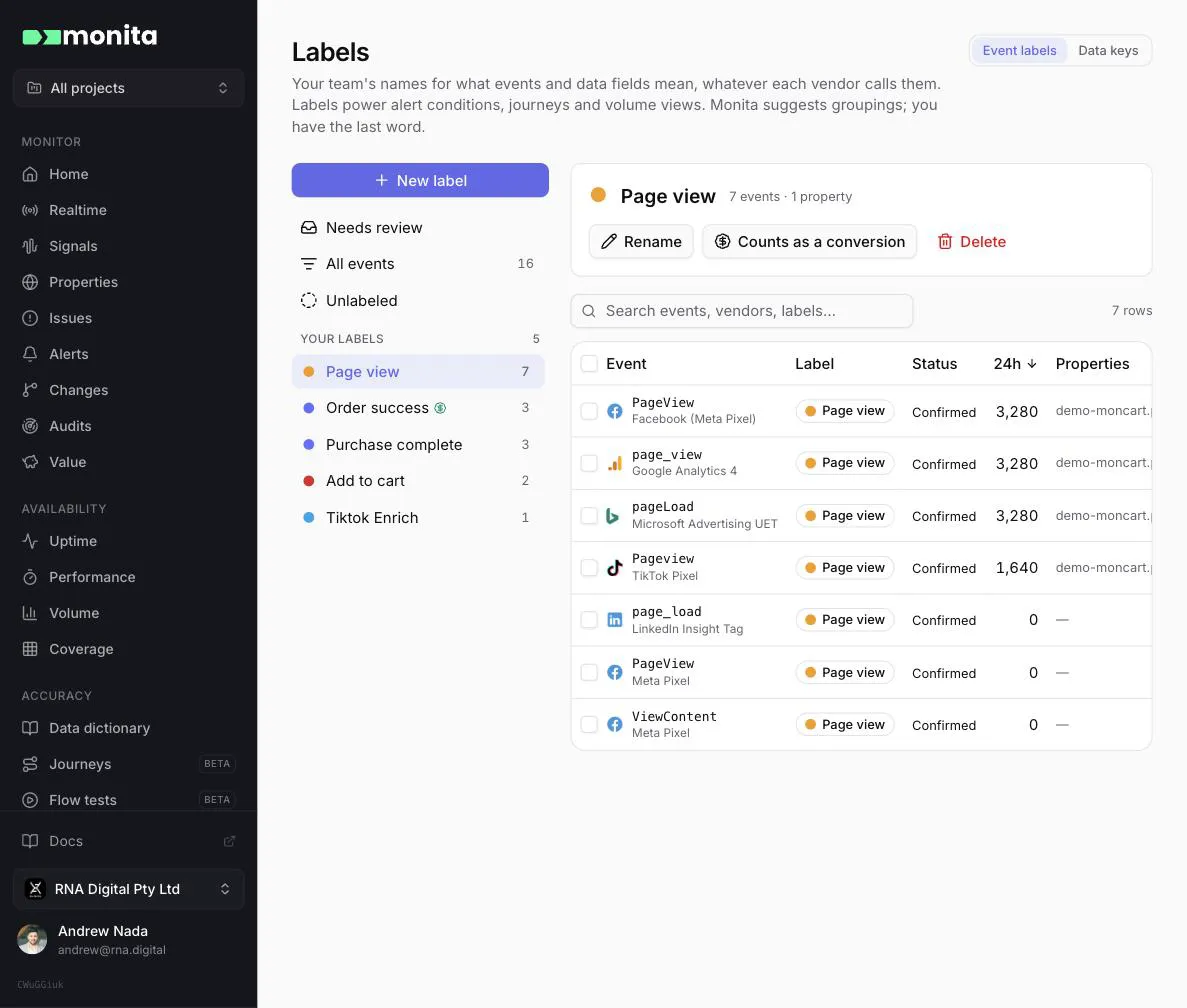
Pick a label to see its events and to rename it, change its color, mark it as a conversion (so Journeys counts it in money paths), or delete it. Deleting a label leaves its events unlabeled, and Monita won’t regroup them automatically.
To create a label, choose New label and pick its events, or select events in any table and choose Label as…. Names are not case sensitive: typing “add to Cart” when “Add to cart” exists adds the events to the existing label. Renaming a label to the name of another label merges the two.
Suggestions and review
Section titled “Suggestions and review”Once a day Monita looks for events that rise and fall together hour by hour, which usually means they record the same action. When the event names make the meaning clear (GA4 purchase, Meta Purchase), it suggests a name. When the names are opaque identifiers, it can’t know what they mean, so it leaves the group unnamed for you to name.
Needs review collects everything waiting for a person:
- Suggested labels: accept one as it is, rename it, merge it into one of your labels, or dismiss it.
- Unnamed groups: events that behave alike. Give the group a name if they belong together, merge them into a label, or dismiss them.
- Suggested additions: events that look like they belong in one of your labels.
- Needs attention: an event that stopped trending with the rest of its label. When events that normally move together drift apart, that vendor’s tag has usually broken.
Suggestions work as labels straight away. Accepting one confirms it: Monita never changes a confirmed label, and its own suggestions never overwrite yours. Dismissing a suggestion is remembered, so the same grouping isn’t suggested again.
Label changes reach realtime alert conditions within about 2 minutes.
Data key labels
Section titled “Data key labels”Data keys (the switch at the top of the page) does the same for payload fields: name what a field means, such as “order id” or “amount”, whatever each vendor calls the key. Key labels filter the Data dictionary.