

Audits
Monitoring watches what happens to real users; an audit is the complement — a real browser loads your pages on demand and records everything: vendors and their account IDs, script load chains, cookies, URL parameters, consent banner behaviour and screenshots. Every run becomes a permanent report at app.monita.ai/audits, and findings feed the Piggyback, Cookies and Coverage views.
Three kinds of audit
Section titled “Three kinds of audit”| Kind | Target | Use it for |
|---|---|---|
| Property pages | A property’s page surface | Full inventory across many pages — the page × vendor matrix |
| Single URL | One page | Spot-checking a template or a staging page |
| Campaign URL | An ad click-through URL, querystring intact | The redirect chain, whether the parameters and tags you expect actually arrive on the landing page, and every cookie set there |
For property audits, choose the pages: the surface already imported under Coverage, a live sitemap fetch (which also updates the Coverage surface), or a pasted/uploaded list — URLs, paths and CSV rows are all normalised.
Running an audit
Section titled “Running an audit”Click New audit, pick the kind and target, and run. Before anything spends, a pre-flight line shows exactly how many audit pages the run will consume against your monthly budget; runs that exceed it ask you to confirm the overage. Findings stream into the report live as pages complete, and you can cancel mid-run.
Campaign expectations
Section titled “Campaign expectations”When you paste a click-through URL, the dialog reads its parameters and shows which ones will be checked for arrival on the landing page. Click IDs (gclid, fbclid, msclkid, …) and tracking parameters (utm_*, gad_*, …) are checked by default. The ad platform’s own parameters (the sa, ai, sig and similar plumbing on a Google click URL) are consumed on the redirect by design, so they are not checked and stay out of the way. Click any parameter to require it or skip it.
You can also name tags that should fire on the landing page, such as Google Ads or Meta Pixel. Every expectation becomes a pass or fail line at the top of the report, and a repeat schedule re-checks the same expectations each time.
Advanced options
Section titled “Advanced options”Any of these switches the run to the advanced tier, metered against its own monthly budget:
- Run from a region — US West, US East, EU or Asia-Pacific, for geo-dependent tags and consent banners.
- Residential proxy — see what real household traffic sees.
- Accept cookie banners — automatically accept before capture.
- Consent instruction — describe exactly what to do in plain language (“Reject all cookies via Manage preferences”, “Accept only functional cookies”). The browser agent performs it before capture and the report lists each step it took — the way to test the reject path or partial consent.
Cookie injection stays on the simple tier: set cookies before the page loads to pin a consent state — for example, set your CMP’s cookie to “rejected” and see which tags still fire.
Scheduling
Section titled “Scheduling”Set Repeat to daily or weekly (with an hour, UTC) when starting a run and the same configuration re-runs automatically. Recurring audits appear as a strip under the run list, where you can pause or delete them. A tick that would exceed the monthly budget skips rather than spending overage.
The report
Section titled “The report”Each finished run is a permanent, self-contained report:
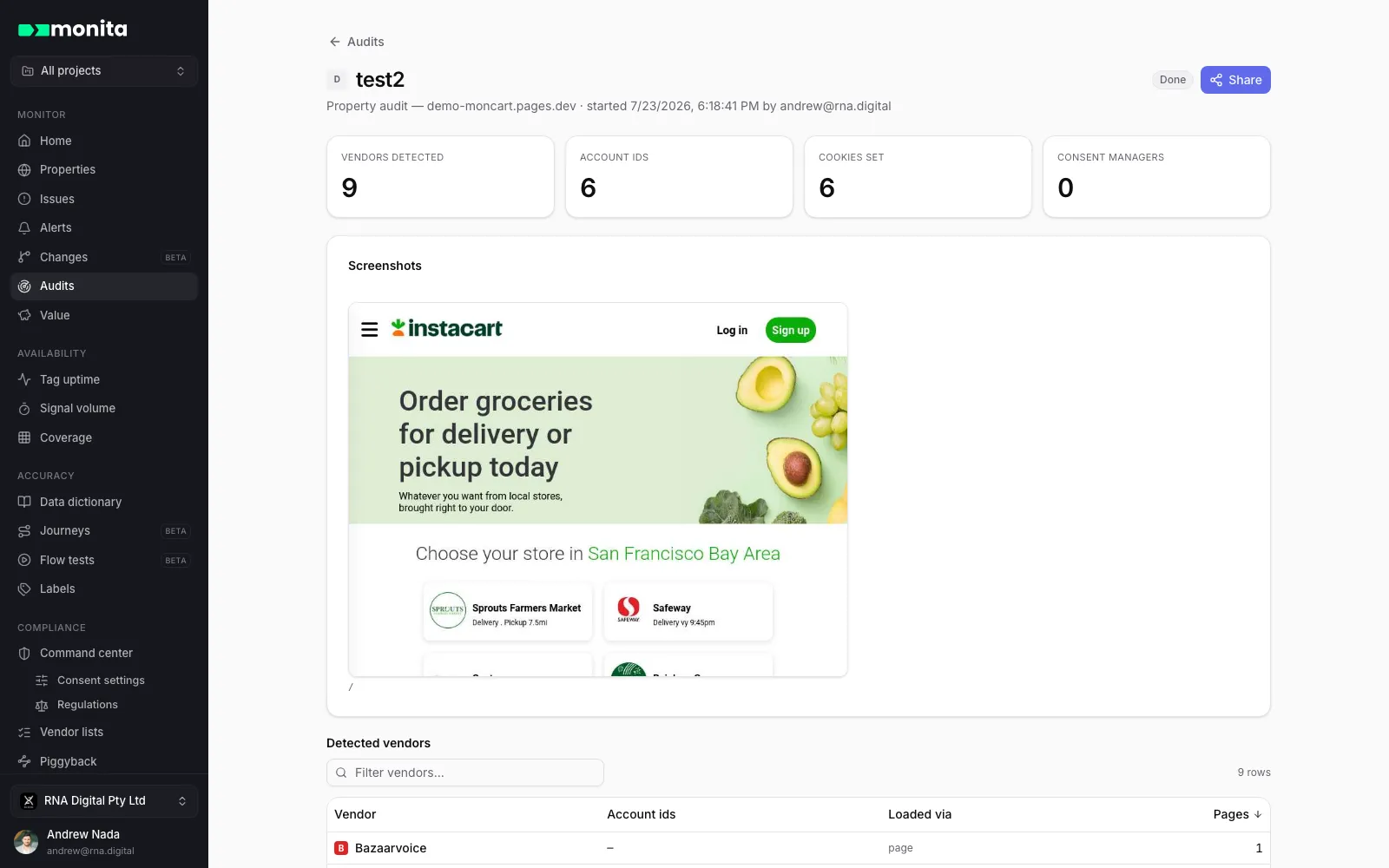
- Summary tiles — vendors detected, account IDs, cookies set, consent managers found.
- Expectations (campaign audits) — each parameter or tag you expected, and whether it arrived.
- Redirect chain (campaign audits) — every hop, plus which URL parameters survived to the landing page. Parameters you did not require are listed as information only.
- Vendors: each with its request hosts, account IDs, the pages it appeared on, and how it was placed: direct (the page loaded it), via a tag manager, piggybacked through another vendor’s script, or served from your own domain when the script came from one of your hostnames (self-hosted). These are placement labels, not consent verdicts; consent standing comes from consent settings.
- Piggyback tree — the parent → child load chain, indented. Vendors your page never referenced directly are the governance-critical rows; ones outside your vendor policies file issues.
- Cookies — the full inventory with owning vendor attributed by name pattern.
- Page × vendor matrix (multi-page runs) — where each vendor fired and where it didn’t.
- Screenshots of the captured pages — what the browser actually saw, banner included.
Sharing
Section titled “Sharing”Reports are private to your organisation until you mint a share link. Share creates a public link anyone can open — no Monita account needed — and Revoke share kills it at any time. Handy for agencies, vendors and legal reviews.
Audits can also be started from Coverage, from the API, or by an AI assistant over MCP.