

Quickstart
This guide takes you from an empty account to live monitored traffic. You’ll need access to your website’s tag manager (or the ability to add a script to the page).
-
Create a property.
New organization? On your first sign-in as an admin, Monita asks where to keep your event data — United States or European Union. Choose before creating a property so every event lands in that region; see Data region.
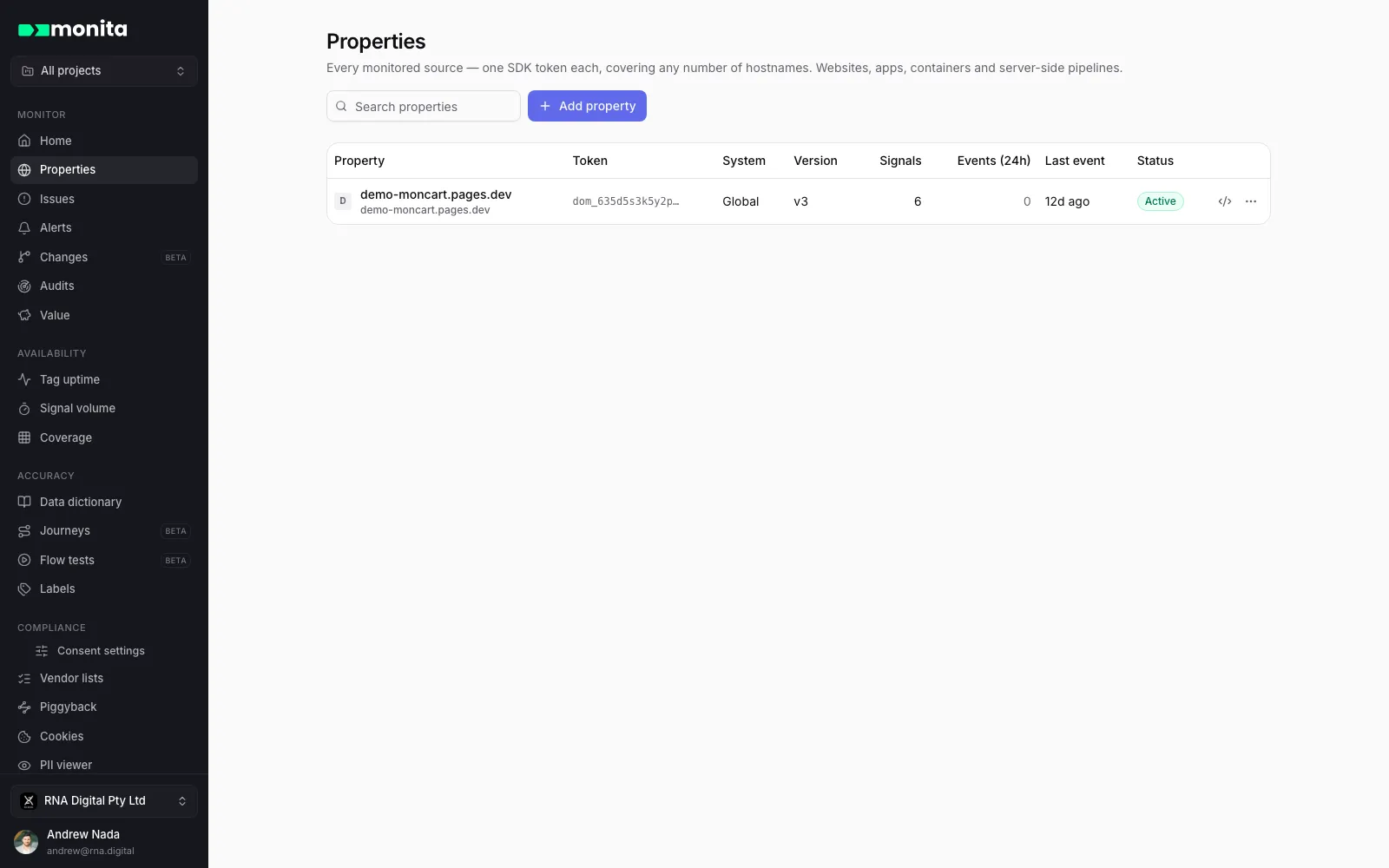
In the app, go to Properties → New property and choose your source type — Website for this guide. A property is one monitored source with one SDK token; it can cover any number of hostnames.
-
Pick the system you deploy through.
Monita’s script is the same everywhere, but each flavour auto-detects extra context from your TMS — container IDs, library versions and environments:
- Google Tag Manager — reads
google_tag_manager(container, version) - Adobe Launch — reads
_satellite(property, build) - Tealium iQ — reads
utag(profile, version) - Commanders Act / Tag Commander — reads
tC(account, container, environment) - Global — agnostic JavaScript for any other setup (Segment, Ensighten, CMS, hard-coded)
- Google Tag Manager — reads
-
Add the vendors you want to monitor.
Click New vendor and search the catalog (Meta Pixel, GA4, Google Ads, TikTok, and 1,400+ more) or define a custom vendor by its request domain. Start with your two or three most business-critical pixels — you can add more anytime.
-
Deploy the script.
Open Manage → Installation guide on your property and follow the snippet for your system. Deploy it like any other all-pages tag, as early in the page as your TMS allows, then publish your container. Full per-TMS instructions: Websites.
-
Verify events are flowing.
Visit your site, then confirm each hop:
- In the browser console,
__monita_settingsexists → the script is loaded. - In the Network tab, filter for
collect.monita.ai→ you seePOSTrequests returning 204. - In the app’s Visualisation view, your vendors and events appear within a minute or two.
Anything missing? Walk through Deployment troubleshooting.
- In the browser console,
-
Turn on alerting.
Monita’s automatic engines (volume anomalies, drift, compliance) are already watching. Add custom alert rules for your specific escalations and connect Slack or Teams so problems reach the right channel.
Next steps
Section titled “Next steps”- Monitoring a native app? Install the iOS or Android SDK.
- Sending events server-side? See Adobe Event Forwarding and the other server-side guides.
- Working with AI assistants? Connect the Monita MCP server.