

Coverage
Coverage answers a question monitoring alone can’t: are there pages where nothing fires at all? A tag that never loads produces no events — and therefore no anomaly. Coverage closes that blind spot by crossing your site’s expected surface with where tags are actually observed firing: app.monita.ai/coverage.
Import the expected surface
Section titled “Import the expected surface”Click Import pages and either:
- Fetch the sitemap — Monita retrieves
https://<property>/sitemap.xmlautomatically, or - Paste a list of paths, one per line.
Import once; the comparison side stays live from real traffic. Running a property audit with a sitemap fetch also refreshes the surface, so the two stay in sync.
Reading the matrix
Section titled “Reading the matrix”The matrix is pages × vendors:
- A filled dot — the vendor fired on that page in the window (brighter = more events).
- A dash — silent on that page.
- An amber ring — an expected page with zero events from any vendor.
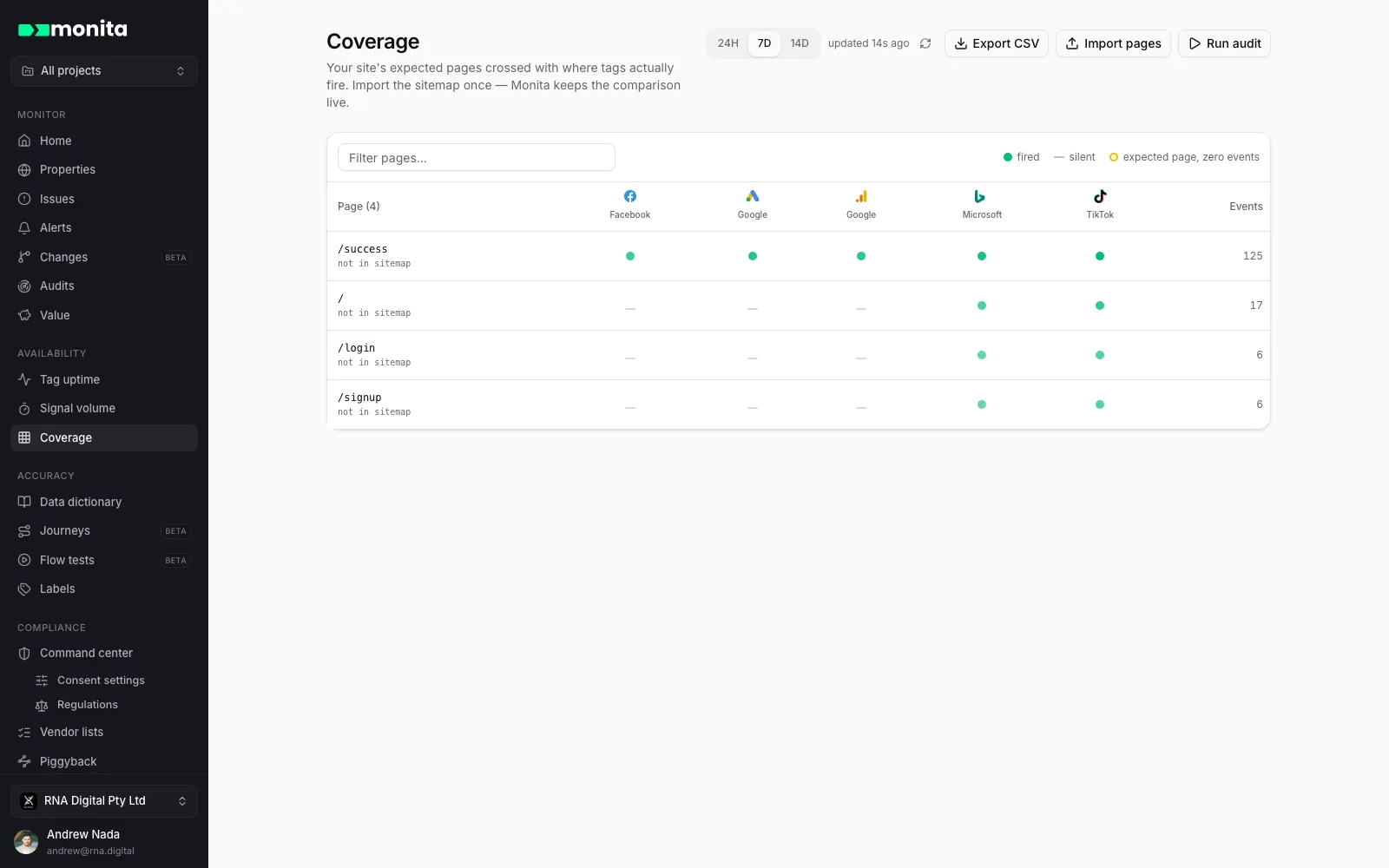
The amber rows are the headline finding, summarised in a banner: either the monitoring script is missing on those pages, or nobody visits them. Both are worth knowing. Pages that receive traffic but aren’t in your sitemap are shown too, marked not in sitemap.
Filter by path, switch the window (24 hours, 7 or 14 days), and switch properties if you monitor more than one.
Acting on gaps
Section titled “Acting on gaps”- Export CSV downloads the current view — path, sitemap membership, per-vendor counts — ready to hand to a dev team.
- Run audit loads the imported pages in a real browser to check the gap directly; piggyback chains land on Piggyback and cookie findings on Cookies.
- Missing script on a whole section? The fix is deployment, not configuration — see installing on websites.