

Signals
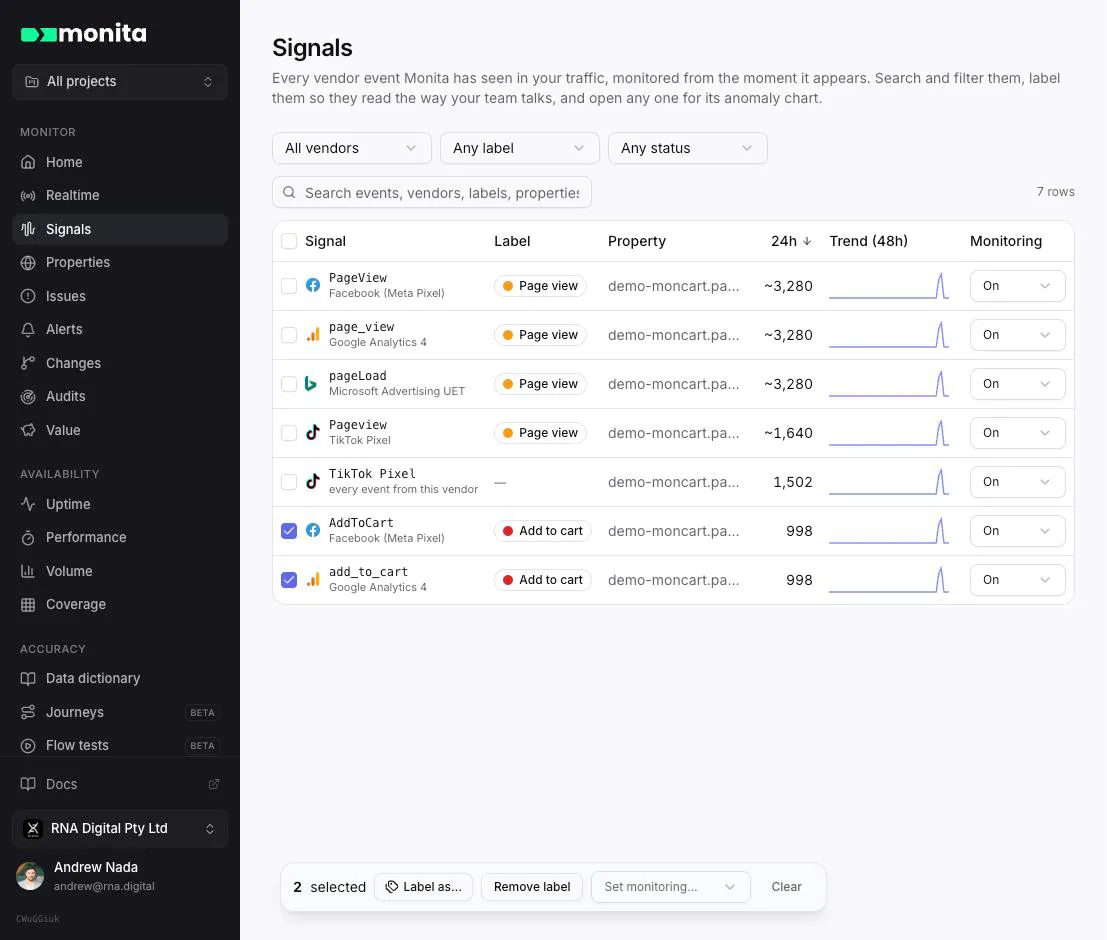
A signal is one vendor event on one property: GA4 purchase on shop.example.com, a Google Ads conversion label, a Floodlight activity. Monita starts monitoring each signal the moment it first appears, with no setup. The Signals page lists them all.
Finding signals
Section titled “Finding signals”Search matches event names, vendors, labels and properties. Next to the search box you can narrow the list by:
- Property, when you monitor more than one.
- Vendor, for example only Google Floodlight.
- Label, including No label to find everything nobody has named yet.
- Status: has open issues, still learning (not enough history for a reliable baseline), muted or off.
Filters live in the page address, so a filtered view is a link you can share. Columns sort by clicking their header; the list opens sorted by the last 24 hours of events.
Labeling from the list
Section titled “Labeling from the list”The Label column shows each event’s label. Click it to pick a label, or type a new name to create one in place.
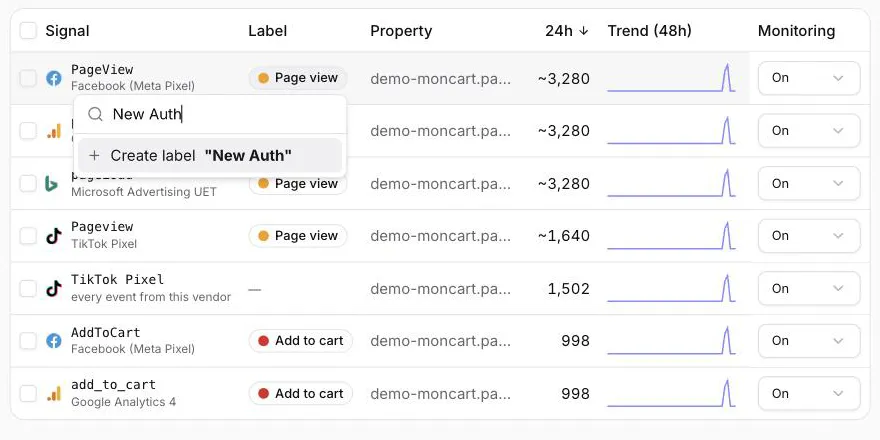 To label many events at once, tick them (the header box selects every signal that matches your filters) and choose Label as…. A typical flow: search for your login events, select them, and label them “Existing Auth”.
Labels belong to the event, not the property: labeling GA4 ev_7929014_web labels it everywhere it fires.
Monitoring each signal
Section titled “Monitoring each signal”The Monitoring column sets how Auto Alerts treat a signal:
- On: watched, and issues open when it stops firing, drops, spikes or slowly bleeds.
- Muted: still tracked and charted, but no issues open.
- Off: not evaluated.
Select several signals to change them together with Set monitoring…. Each signal keeps its own sensitivity setting when you do.
Click any row to open the signal: its hourly volume against the expected range, and a backtest showing what each sensitivity level would have flagged over recent weeks. You can set that signal’s sensitivity from there.
When a property samples page views, counts that are estimated from the sample show a ~ in front of them.